The Complete MetaTrader WebTrader Overview for Serious Traders

Trading platforms have evolved considerably. What once required powerful hardware and constant software updates can now be accessed through a browser tab. MetaTrader WebTrader sits at the center of this evolution, offering traders a professional environment that travels with them wherever they go.
This article explores the platform’s structure, its practical advantages, and the questions traders most frequently ask when evaluating browser-based trading tools.
What Makes MetaTrader WebTrader Different From Traditional Platforms?
Traditional trading platforms are built for performance on a single machine. They store data locally, require regular updates, and are inaccessible without the specific device on which they are installed. MetaTrader WebTrader takes a fundamentally different approach.
The MetaTrader WebTrader platform operates through a web interface, routing all data through secure servers. This architecture means the platform is available on any device with an internet connection and a compatible browser — no downloads, no installations, no compatibility issues.
This distinction matters most to traders who work across multiple devices or whose trading activity does not follow a fixed location. The platform removes the friction associated with traditional setups while preserving the analytical depth that experienced traders expect.
What Trading Tools Are Available on MetaTrader WebTrader?
The platform’s toolset is comprehensive. Traders have access to the following core capabilities:
Advanced Charting Engine
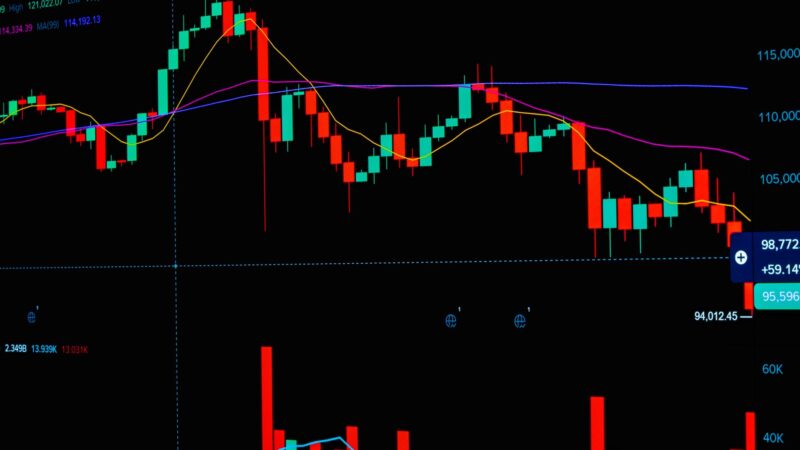
The charting module supports multiple chart types, including candlestick, OHLC bar, and line charts. Traders can switch between timeframes ranging from one minute to one month, applying technical overlays and drawing tools as needed.
The indicator library includes oscillators, trend-following tools, volume-based indicators, and volatility measures. Custom configurations can be saved as templates and reloaded in future sessions, maintaining consistency across analysis sessions.
Order Management System
Placing and managing orders through MetaTrader WebTrader mirrors the experience of a desktop platform. Traders can set entry prices, define stop-loss and take-profit levels, and modify existing orders — all from within the browser interface.
Pending orders, including buy limits, sell limits, buy stops, and sell stops, are fully supported. This allows traders to plan their entries in advance and let the market trigger execution automatically.
Market Watch and Watchlists
The Market Watch panel displays live bid and ask prices for all available instruments. Traders can organize their preferred pairs and assets into custom watchlists, enabling faster navigation during active trading sessions.
How Reliable Is MetaTrader WebTrader During Volatile Market Conditions?
Market volatility places significant demands on trading infrastructure. During high-activity periods — such as major economic data releases or geopolitical events — platform stability becomes critical.
MetaTrader WebTrader is hosted on server infrastructure maintained by brokers and their technology providers. The reliability of the platform during volatile conditions is therefore closely tied to the broker’s server capacity and redundancy systems. Traders evaluating brokers should consider uptime records and server location as part of their due diligence process.
Latency, the time between order submission and execution, is another factor. For most retail traders, the latency experienced on a well-configured web platform is sufficient for standard trading strategies. High-frequency traders with strategies that depend on millisecond execution may require dedicated infrastructure beyond what a web platform provides.
Can MetaTrader WebTrader Be Used for Forex and Multi-Asset Trading?
Yes. The platform supports trading across all asset classes that a broker offers through the MetaTrader ecosystem. This typically includes major, minor, and exotic forex pairs, as well as spot metals, energy commodities, stock indices, and individual equities where available.
The seamless transition between asset classes within a single interface is a practical advantage. Traders who diversify across markets can manage all positions from one screen, reducing the complexity associated with running multiple platforms simultaneously.
What Are the Technical Requirements for Running MetaTrader WebTrader?
The technical requirements are minimal. Traders need:
A modern web browser (such as Google Chrome, Mozilla Firefox, Microsoft Edge, or Safari)
A stable broadband internet connection
Valid account credentials from a broker that supports the MetaTrader web platform
No specific operating system is required. The platform functions on Windows, macOS, Linux, iOS, and Android environments without modification.
About MetaTrader WebTrader for Multi-Asset Traders
Can I trade multiple asset classes simultaneously on MetaTrader WebTrader?
Yes. The platform supports concurrent monitoring and trading across all instrument categories available through your broker, within a single session.
Does the web platform support all the same indicators as the desktop version?
The built-in indicator library is consistent across both versions. Some custom indicators built specifically for the desktop environment may not transfer directly, but the standard analytical toolkit is fully accessible on the web platform.
How do I place a pending order on MetaTrader WebTrader?
Navigate to the order entry window, select the relevant instrument, choose your order type (limit or stop), define your target entry price, and set stop-loss and take-profit levels before confirming the order.
Is there a session timeout on MetaTrader WebTrader?
Most brokers implement an automatic timeout after a period of inactivity to protect account security. Traders should review their broker’s session policy for specific details.
Can I access historical trade data on MetaTrader WebTrader?
Yes. The account history section provides a full record of completed trades, including entry and exit prices, position sizes, and profit or loss outcomes.
Risk Management Features Within MetaTrader WebTrader
Effective risk management is inseparable from long-term trading success. MetaTrader WebTrader includes several features that support disciplined risk control.
Stop-loss orders allow traders to define the maximum acceptable loss on any given position. Take-profit orders lock in gains automatically when a target price is reached. These tools remove the emotional element from trade management, ensuring that pre-defined parameters are honored regardless of market conditions at the time of execution.
Trailing stops provide an additional layer of sophistication. As a position moves in the trader’s favor, a trailing stop adjusts automatically to preserve accumulated profits while allowing the trade room to continue developing.
Building a Consistent Trading Routine With MetaTrader WebTrader
Consistency is a hallmark of professional trading practice. MetaTrader WebTrader supports routine-building through its template and profile-saving features. Traders can configure their preferred chart layouts, indicator settings, and watchlists once and reload them at the start of each session.
This reduces preparation time and allows traders to focus immediately on market analysis rather than platform configuration. Over time, a well-defined setup becomes second nature, contributing to more structured and disciplined trading behavior.
Evaluating MetaTrader WebTrader as Your Primary Trading Environment
Choosing a primary trading environment is a significant decision. MetaTrader WebTrader earns its place as a primary platform for traders who value accessibility without sacrificing depth. The combination of professional-grade tools, cross-device compatibility, and a streamlined interface makes it a practical choice across a range of trading styles and experience levels.
Traders transitioning from desktop platforms will find the learning curve minimal. Those new to the MetaTrader ecosystem will benefit from the platform’s logical structure and extensive documentation available through brokers and trading communities.